Skip to content
← All articles
Article

D2COpenAIPlugin

Listen to the audio story

D2C: a ChatGPT plugin that draws diagrams · 1:17 · AI-written script, synthetic voices

Transcript

Ava: Remember when ChatGPT plugins were a thing? Antoine built one that turned a conversation into a diagram.

Andrew: I do remember. What did it draw?

Ava: Diagrams written in PlantUML or Mermaid. You describe a system in the chat, and the plugin generates the diagram from it. It's called D2COpenAIPlugin.

Andrew: And it was a proper plugin, not a script on the side?

Ava: A proper ChatGPT plugin, with a diagram-oriented interface. The page is clear that it's a historical project, though.

Andrew: How did you run it?

Ava: It's a Python app built on FastAPI. The original setup was Python, a virtual environment through poetry, installing the dependencies, and starting a local server on port fifty-three oh three.

Andrew: So the instructions might be out of date.

Ava: That's the caveat. The page labels them as the original plugin environment, and the manifest and configuration stay in the source repository.

Andrew: Where would someone look for more?

Ava: The project documentation covers the implementation and API routes, and the GitHub repository has the original code. It's worth reading as an early example of diagrams-from-chat, the idea behind Antoine's later diagram work.

Andrew: Short and sweet.

Ava: The written page has the links.

Table of contents

This is a historical ChatGPT plugin. Read the project documentation for its implementation and API routes, or consult the source repository.

D2COpenAIPlugin is a ChatGPT plugin that generates diagrams with PlantUML or Mermaid from the conversation.
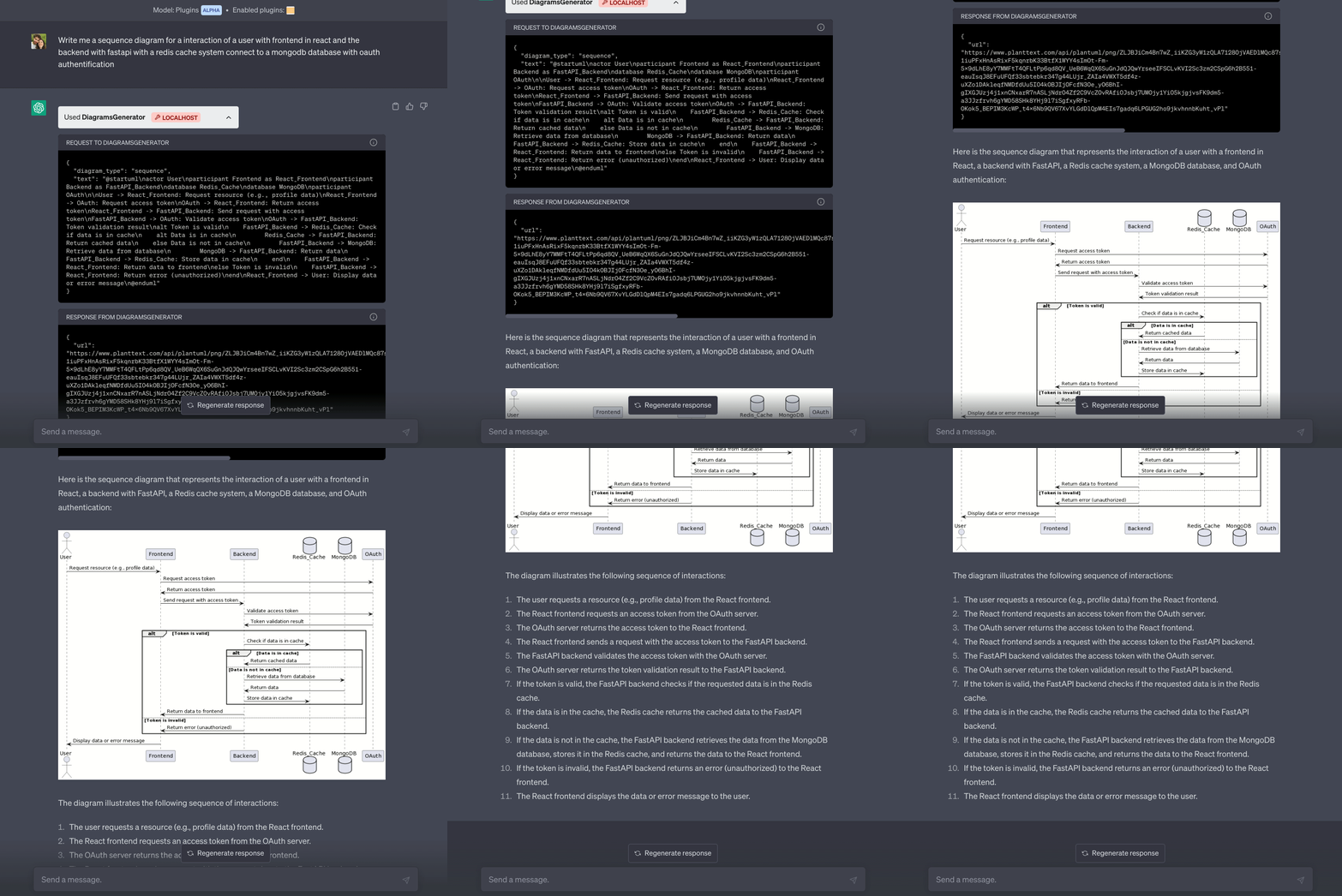
Diagram generator plugin demo image

Features

  • Generate diagrams using PlantUML or Mermaid
  • Works as a ChatGPT plugin
  • Diagram-oriented UI

Original local setup

These instructions describe the original plugin environment. Before using the plugin, make sure to have the following prerequisites installed:

  • Python 3.6+
  • FastAPI
  • uvicorn
  1. Install Python 3.10, if not already installed.
  2. Clone the repository: git clone https://github.com/antoinebou12/D2COpenAIPlugin.git
  3. Navigate to the cloned repository directory: cd /path/to/D2COpenAIPlugin
  4. Install poetry: pip install poetry
  5. Create a new virtual environment with Python 3.10: poetry env use python3.10
  6. Activate the virtual environment: poetry shell
  7. Install app dependencies: poetry install
  8. Consult the repository README for authentication and environment configuration.

Setup

To install the required packages for this plugin, run the following command:

pip install -r requirements-dev.txt

To run the plugin, enter the following command:

python app.py

The original local server command was:

uvicorn app:app --host 127.0.0.1 --port 5003

The original manifest and configuration remain in the source repository.