Table of contents
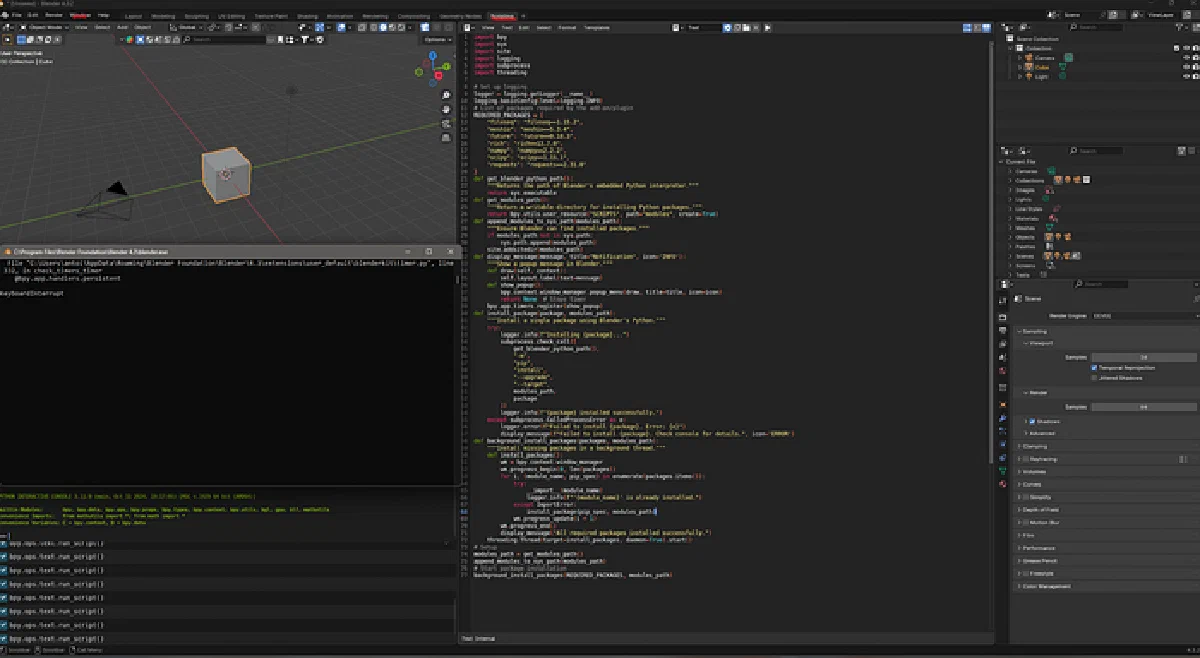
Blender add-ons that need NumPy, meshio, or requests hit the same wall: Blender ships its own Python, so system pip does nothing useful. I wrote a small installer that targets Blender’s sys.executable, drops wheels under scripts/modules, and runs in a background thread so the UI stays responsive (Blender 4.2+, Windows).
1. The problem in one sentence
You cannot pip install globally and expect import meshio inside Blender — the interpreter path is Blender’s bundled runtime.
2. Strategy
| Piece | Role |
|---|---|
sys.executable | Invoke pip against Blender’s Python |
bpy.utils.user_resource("SCRIPTS", path="modules") | Writable install dir per user/version |
site.addsitedir | Make imports resolve next launch |
Background thread + bpy.app.timers | Avoid freezing the UI; show popups when done |
3. The installer script
import bpy
import sys
import site
import logging
import subprocess
import threading

# Set up logging
logger = logging.getLogger(__name__)
logging.basicConfig(level=logging.INFO)

# List of packages required by the add-on/plugin
REQUIRED_PACKAGES = {
    "fileseq": "fileseq==1.15.2",
    "meshio": "meshio==5.3.4",
    "rich": "rich==13.7.0",
    "requests": "requests==2.31.0"
}

def get_blender_python_path():
    """Returns the path of Blender's embedded Python interpreter."""
    return sys.executable

def get_modules_path():
    """Return a writable directory for installing Python packages."""
    return bpy.utils.user_resource("SCRIPTS", path="modules", create=True)

def append_modules_to_sys_path(modules_path):
    """Ensure Blender can find installed packages."""
    if modules_path not in sys.path:
        sys.path.append(modules_path)
    site.addsitedir(modules_path)

def display_message(message, title="Notification", icon='INFO'):
    """Show a popup message in Blender."""
    def draw(self, context):
        self.layout.label(text=message)
    def show_popup():
        bpy.context.window_manager.popup_menu(draw, title=title, icon=icon)
        return None  # Stops timer
    bpy.app.timers.register(show_popup)

def install_package(package, modules_path):
    """Install a single package using Blender's Python."""
    try:
        logger.info(f"Installing {package}...")
        subprocess.check_call([
            get_blender_python_path(),
            "-m",
            "pip",
            "install",
            "--upgrade",
            "--target",
            modules_path,
            package
        ])
        logger.info(f"{package} installed successfully.")
    except subprocess.CalledProcessError as e:
        logger.error(f"Failed to install {package}. Error: {e}")
        display_message(f"Failed to install {package}. Check console for details.", icon='ERROR')

def background_install_packages(packages, modules_path):
    """Install missing packages in a background thread."""
    def install_packages():
        wm = bpy.context.window_manager
        wm.progress_begin(0, len(packages))
        for i, (module_name, pip_spec) in enumerate(packages.items()):
            try:
                __import__(module_name)
                logger.info(f"'{module_name}' is already installed.")
            except ImportError:
                install_package(pip_spec, modules_path)
            wm.progress_update(i + 1)
        wm.progress_end()
        display_message("All required packages installed successfully.")
    threading.Thread(target=install_packages, daemon=True).start()

# Setup
modules_path = get_modules_path()
append_modules_to_sys_path(modules_path)

# Start package installation
background_install_packages(REQUIRED_PACKAGES, modules_path)
Four details do the work:
sys.executableinside Blender is Blender’s own interpreter, sopipinstalls for the Python that will import the package.--targetwrites into the per-userscripts/modulesfolder, which is writable without admin rights and survives add-on reloads.- The
__import__check skips packages that are already importable, so a second run is quick. - Popups go through
bpy.app.timersbecause only the main thread may touch the UI, not the install thread.
4. How to run it
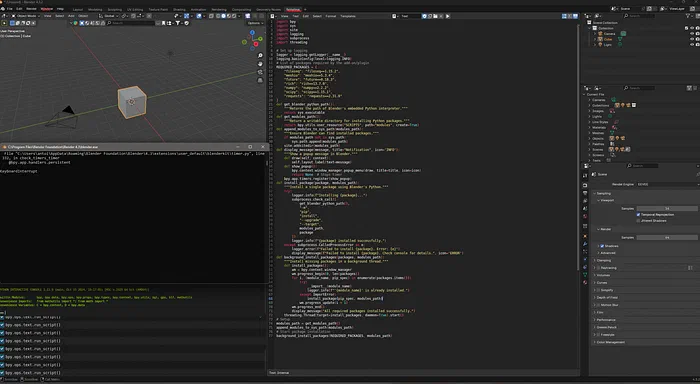
Option A — Scripting workspace: paste in Text Editor → Run Script → wait for popup.
Option B — Add-on register():
def register():
    modules_path = get_modules_path()
    append_modules_to_sys_path(modules_path)
    background_install_packages(REQUIRED_PACKAGES, modules_path)
Ship dependencies with your add-on so users are not guessing which Python to use.
5. Troubleshooting
- Restart Blender after first install.
print(sys.path)if imports fail — confirmmodulesis listed.- Version pin wheels — Blender’s Python version is not your system 3.12.
6. When not to use this pattern
| Case | Why |
|---|---|
| Add-on targets many Blender versions | Pin and test per minor version |
| Heavy CUDA stacks | May exceed user GPU/driver setup |
| Corporate locked-down PCs | pip may be blocked — vendor wheels manually |
7. Takeaway
Automate dependency install inside Blender’s sandbox; users stop emailing “which Python?” — you own the matrix in REQUIRED_PACKAGES.
8. Related posts
- Skate rack — CAD to plywood — physical maker pipeline
- AI figurines / 3D print — mesh tools in another ecosystem